Task-level usage
ProPR compares provider usage before and after a task, tying the change back to the capacity it consumed.
Teams using AI provider subscriptions need to know which work is using their limits. Agent Tank is an open-source (MIT) companion tool built by the ProPR team that you run alongside your stack; with it enabled, ProPR shows usage around individual tasks and keeps provider dashboards as background context.
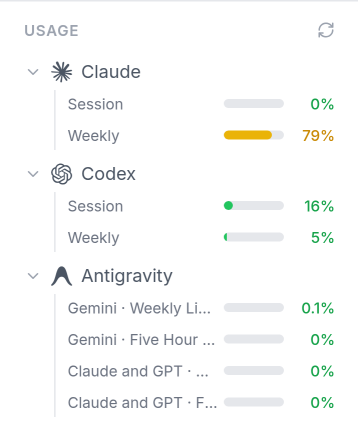
ProPR compares provider usage before and after a task, tying the change back to the capacity it consumed.
Each supported agent exposes different usage windows, and ProPR presents them in the same operational view.
Usage records stay attached to the agent call, so the history shows why a specific job consumed capacity.
The UI shows current provider usage and reset timing while work is active.
Settings control whether tracking is enabled and how ProPR connects to Agent Tank (agenttank.io). It runs as a separate service alongside your stack, and tracking stays fully optional.
If Agent Tank is unavailable, the task continues and ProPR skips tracking for that call.
Settings configure Agent Tank, the sidebar shows current provider usage, and task records retain the usage changes that explain which job consumed subscription capacity. This complements cost visibility in observability, model routing in agents, and the supported agents guide.